> For the complete documentation index, see [llms.txt](https://bluwhale.gitbook.io/bluwhaleai/llms.txt). Markdown versions of documentation pages are available by appending `.md` to page URLs; this page is available as [Markdown](https://bluwhale.gitbook.io/bluwhaleai/whale-tank.md).
# Whale Tank
Bluwhale's mission is to turn your digital profile into an asset. The previous profile marketplace, where you could sell NFTs of your profile data, was replaced with one that allows you to tokenize your profile creating Profile Tokens. Introducing Whale Tank, the first marketplace designed to empower you to launch tokens around your data and profile, available on both desktop and mobile. Below is a step-by-step guide to creating and launching your Profile Tokens.
1. The Desktop version can be easily accessed on the top bar "Whale Tank"
Launch Guide For Profile Tokens (Desktop)
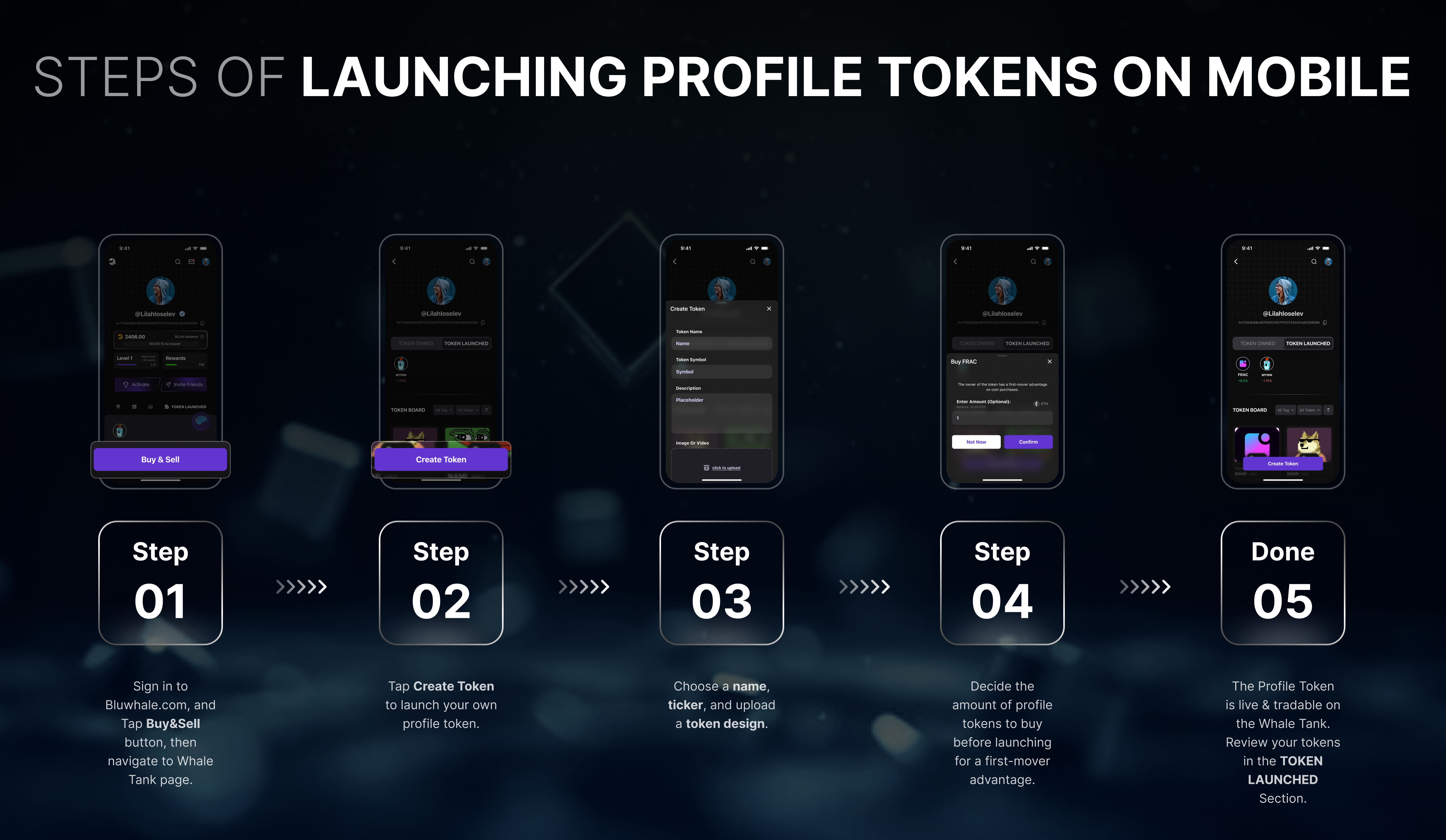
2. The Mobile version allows you to access the Whale Tank by clicking the "Buy/Sell" button
Launch Guide For Profile Tokens (Mobile)
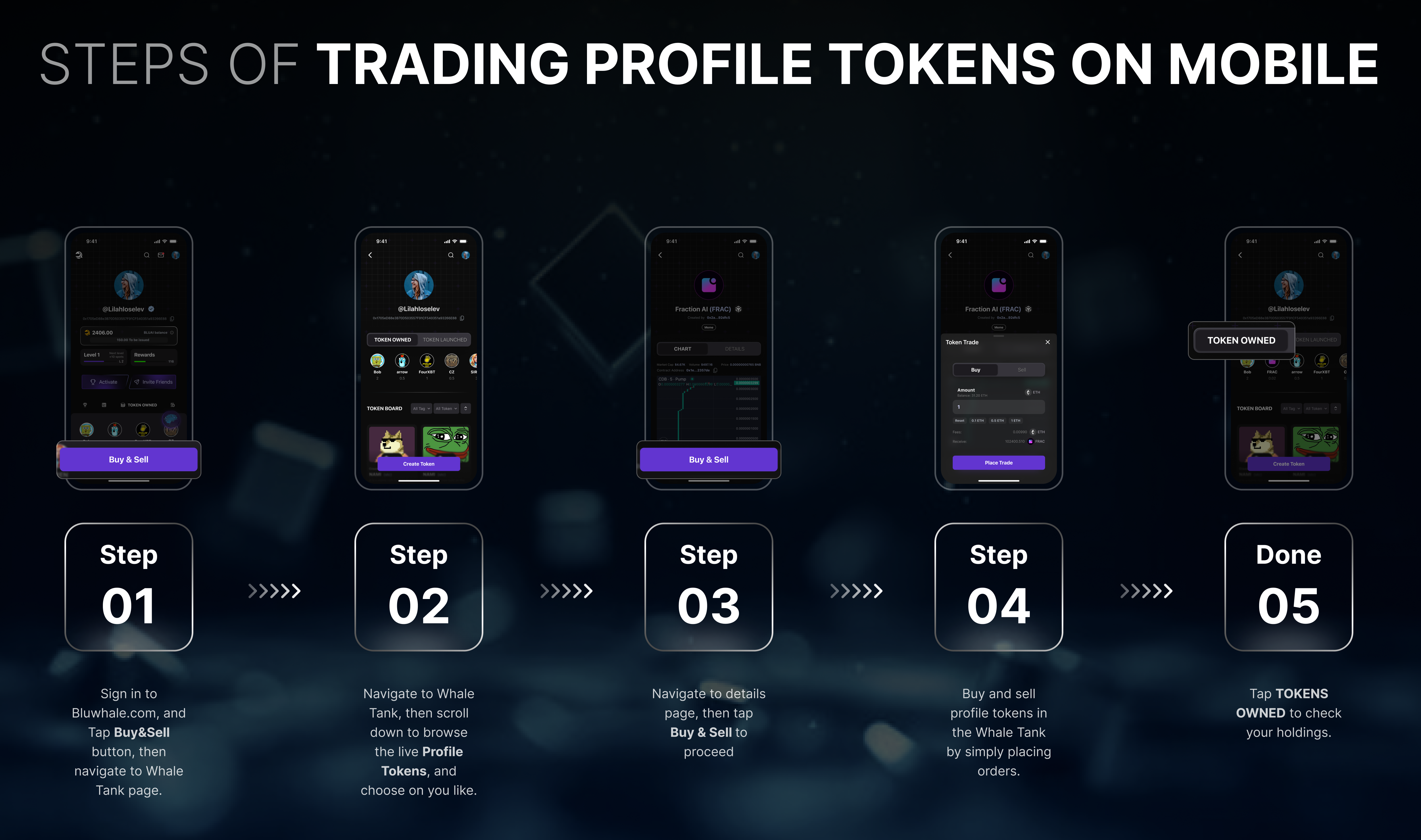
Once your Profile Token is live, you can head to the marketplace to check out other Bluwhale users' tokens and buy/sell them like on a DEX. Below is a step-by-step guide to buying and selling your Profile Tokens.
1. As you enter the "Whale Tank", you will find many tokens launched by other Bluwhales to buy and sell on desktop.
Trading Guide For Profile Tokens (Desktop)
2. As you click on the "Buy/Sell" button, you will find many tokens launched by other Bluwhales to buy and sell on mobile.
.png?alt=media&token=ef6317e3-a987-474b-8679-ce4cfbbebb15)
.png?alt=media&token=1a7ac5f8-9230-4e13-b435-16bb533fad17)